If you have ever seen this error, you know the pain of a fellow linux user.
The story of Linux containers is a tale of innovation and collaboration, with roots surprisingly deep in the history of the Linux operating system itself.
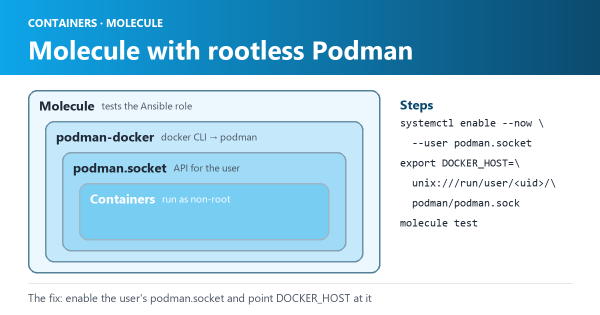
On my Centos8 I was facing issue when I was trying to run Molecule on a centos machine which is running podman as a non root user.
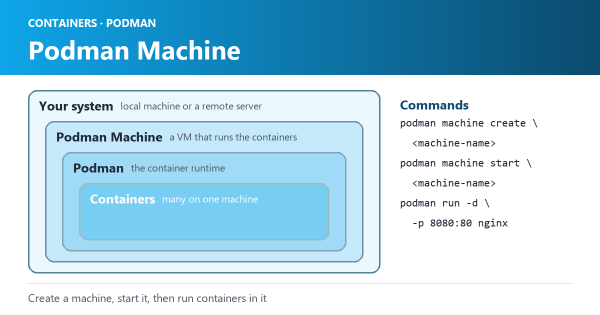
Podman Machine is a tool that allows you to manage multiple Linux containers on your local system or on remote servers.
Buildah is a command-line tool used for building and managing OCI-compliant images. It is an alternative to Docker Build that provides greater flexibility and control over the image building process.
In the previous blog, I was left with the error that had little information for me to debug. I realized since I migrated most of the files from my previous laptop it might be causing an issue.
Having just bought an M1 – MacBook Pro the issue are mounting. The premier challenge was to get my Vagrant boxes configured with provider virtualbox to run.
If you have seen errors like these when deploying using a serviceAccount
Looking the official diagram from devspace which shows the benefits in detail
So there are many things I have been simultaneously trying to learn & one of those is to learn how you can configure a pipeline
I have written a series of blogs to capture how you can deploy spinnaker on a Kubernetes cluster & manage a helm chart deployment via pipeline.
You will need a valid docker registry before you add any trigger in the pipeline in Spinnaker
So to delete there was one hard hack way of cleaning it all
Learn by example # In this blog let’s learn how to create a bridge network. By definition - Bridge networks are usually used when your applications run in standalone containers that need to communicate
I would move in stages, like a good learning guide always recommends.
Usually I use Centos, but this time I wanted to try out docker swarm and ubuntu was the preferred option due to the options and supporting blogs available.