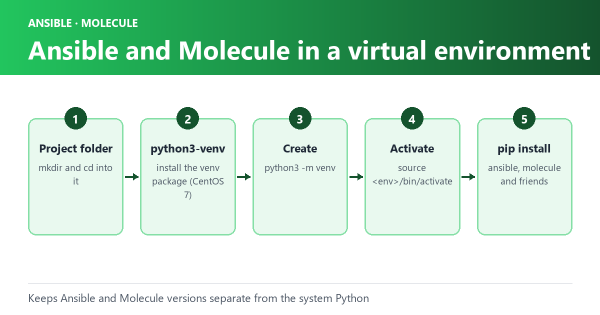
Using a virtual environment like venv is a best practice when working with Python-based projects like Ansible, Molecule, and Playbooks.Continuing from the blog, Virtual environments are isolated Python environments that allow you to manage dependencies separately for each project, providing a controlled and reproducible environment for development, testing, and production.
Here are some examples of how to use venv for Ansible, Molecule, and Playbook development:
Creating a virtual environment#
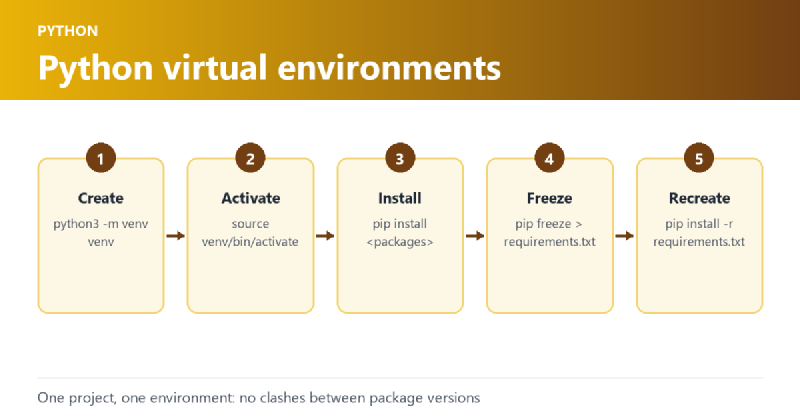
You can create a virtual environment using the venv module that comes with Python. To create a new virtual environment, open your terminal and run the following command:
python3 -m venv myenvThis will create a new virtual environment named myenv in the current directory.
Activating a virtual environment#
Once you have created a virtual environment, you need to activate it before you can use it. To activate the myenv environment, run the following command:
source myenv/bin/activateThis will activate the virtual environment and you will see the name of your environment in the terminal prompt.
Installing dependencies#
To install dependencies in the virtual environment, you can use pip. For example, to install the ansible package, run the following command:
pip install ansibleThis will install the ansible package in the myenv virtual environment.
Freezing packages#
To freeze the list of installed packages in your virtual environment, you can use the pip freeze command. This will generate a list of installed packages and their versions that can be used to recreate the same environment on another machine.
To generate a requirements.txt file containing the list of installed packages, run the following command:
pip freeze > requirements.txtThis will create a requirements.txt file in the current directory containing the list of installed packages.
Example Contents#
ansible==6.7.0
ansible-compat==3.0.1
ansible-core==2.13.8
arrow==1.2.3
attrs==22.2.0
binaryornot==0.4.4
certifi==2022.12.7
cffi==1.15.1
chardet==5.1.0
charset-normalizer==3.0.1
click==8.1.3
click-help-colors==0.9.1
cookiecutter==2.1.1
cryptography==39.0.1
distro==1.8.0
docker==6.0.1
enrich==1.2.7
idna==3.4
importlib-resources==5.12.0
Jinja2==3.1.2
jinja2-time==0.2.0
jsonschema==4.17.3
markdown-it-py==2.2.0
MarkupSafe==2.1.2
mdurl==0.1.2
molecule==4.0.4
molecule-docker==2.1.0
packaging==23.0
pkgutil_resolve_name==1.3.10
pluggy==1.0.0
pycparser==2.21
Pygments==2.14.0
pyrsistent==0.19.3
python-dateutil==2.8.2
python-slugify==8.0.1
PyYAML==6.0
requests==2.28.2
resolvelib==0.8.1
rich==13.3.1
six==1.16.0
subprocess-tee==0.4.1
text-unidecode==1.3
typing_extensions==4.5.0
urllib3==1.26.14
websocket-client==1.5.1
zipp==3.15.0
Using a requirements.txt file#
To install the packages listed in a requirements.txt file, run the following command:
pip install -r requirements.txtThis will install all the packages listed in the requirements.txt file in the current virtual environment.
Conclusion#
By isolating your project’s dependencies, you can ensure that your code works consistently and avoid compatibility issues with different versions of packages. It also makes it easy to manage dependencies and maintain a consistent development environment. Freezing packages and using a requirements.txt file are useful techniques for recreating the same environment on different machines or sharing the environment with other developers.