It is a short howto guide which shall talk about adding a LDAP realm to an Elasticsearch 7.6.2 cluster.
Realms#
It is a concept not alien to IDAM professionals. In simple words it is a system that allows you to authenticate and authorize an incoming request. It will define the entity USER, that may include at a bare minimum (not limited to)
- A unique name, which can be queried upon
- Password, which can be validated
- Roles that defines its access privileges for resources mapped to.
The official documentation is available here
Prerequisites#
To being with, have a local ldap instance configured. In my case I am using Openldap configured on a Centos 7.0 machine ldap.myserver.com.
GET _cat/nodes?pretty

100.9.48.79   60 47 2 0.14 0.23 0.19 dil  - node1.elasticsearch.node
100.9.32.43   58 93 4 0.92 1.01 0.88 dilm * node2.elasticsearch.node
100.8.122.121 68 72 2 0.27 0.23 0.18 dil  - node3.elasticsearch.node
100.7.144.95  51 92 1 0.37 0.40 0.41 dilm - master.elasticsearch.node
The master node is
node2.elasticsearch.node
For managing my ldap - ldap.myserver.com, I am using a free tool Jxplorer to connect. The connection settings are as under
myserver.ldap=ldap.myserver.com
myserver.ldap.11=
myserver.ldap.3=636
myserver.ldap.5=LDAP v3
myserver.ldap.7.1=
myserver.ldap.7.5=false
myserver.ldap.8.1=SSL + User + Password
myserver.ldap.8.3=cn\=Manager,dc\=samarthya,dc\=com
I have pre-configured few users and groups in my ldap.
version: 1
dn: dc=samarthya,dc=com
objectClass: dcObject
objectClass: organization
objectClass: top
dc: samarthya
description: My Ldap Server
o: samarthya.com

dn: cn=Manager,dc=samarthya,dc=com
objectClass: organizationalRole
objectClass: top
cn: Manager
description: Directory Manager

dn: ou=People,dc=samarthya,dc=com
objectClass: organizationalUnit
objectClass: top
ou: People

dn: uid=samarthya,ou=People,dc=samarthya,dc=com
objectClass: account
objectClass: posixAccount
objectClass: shadowAccount
objectClass: top
cn: samarthya
gidNumber: 7002
homeDirectory: /home/samarthya
loginShell: /bin/bash
ou: cn=Manager,ou=Group,dc=samarthya,dc=com
shadowLastChange: 0
shadowMax: 0
shadowWarning: 0
uid: samarthya
uidNumber: 8002
userPassword:: e1NTSEF9ZGc2VDgxbVZwaFJGcjZNd2lUWjVwQVVTbTZybjNPU2RIZ09FN2thQ
 VoyWTV6UU8xREFON3FRPT0=

dn: uid=samarthya,ou=People,dc=samarthya,dc=com
objectClass: account
objectClass: posixAccount
objectClass: shadowAccount
objectClass: top
cn: samarthya
description: Samarthya
gecos: administrators
gidNumber: 7001
homeDirectory: /home/samarthya
loginShell: /bin/bash
ou: cn=analysts,ou=Group,dc=samarthya,dc=com
uid: samarthya
uidNumber: 8001
userPassword:: e1NTSEF9ZGc2VDgxbVZwaFJGcjZNd2lUWjVwQVVTbTZybjNPU2RIZ09FN2thQ
 VoyWTV6UU8xREFON3FRPT0=

dn: uid=user1,ou=People,dc=samarthya,dc=com
objectClass: account
objectClass: posixAccount
objectClass: shadowAccount
objectClass: top
cn: user1
description: user 1
gidNumber: 7006
homeDirectory: /home/user1
loginShell: /bin/bash
ou: cn=administrators,ou=Group,dc=samarthya,dc=com
uid: user1
uidNumber: 8006
userPassword:: e1NTSEF9ZGc2VDgxbVZwaFJGcjZNd2lUWjVwQVVTbTZybjNPU2RIZ09FN2thQ
 VoyWTV6UU8xREFON3FRPT0=

dn: uid=user2,ou=People,dc=samarthya,dc=com
objectClass: account
objectClass: posixAccount
objectClass: shadowAccount
objectClass: top
cn: user2
description: User Two
gidNumber: 7007
homeDirectory: /home/user2
ou: cn=readers,ou=Group,dc=samarthya,dc=com
uid: user2
uidNumber: 8007
userPassword:: e1NTSEF9S2FQZE4ybW56V3k4aHBDUVpURk9KdW5PMm9aZmdQNXpwb3pHNC81R
 XhtMk8rU0oxK01RUWFRPT0=

dn: uid=user3,ou=People,dc=samarthya,dc=com
objectClass: account
objectClass: posixAccount
objectClass: shadowAccount
objectClass: top
cn: user3
gidNumber: 7008
homeDirectory: /home/user3
loginShell: /bin/bash
ou: cn=readers,ou=Group,dc=samarthya,dc=com
uid: user3
uidNumber: 8008
userPassword:: e1NTSEF9eTdsZFZFaUlJUUVwYjF3R3VybG96dFhWSE9XV2ZsTVpHT1VPakxXR
 nZIdXg0YTg0dXFRdzJRPT0=

dn: ou=Group,dc=samarthya,dc=com
objectClass: organizationalUnit
objectClass: top
ou:: R3JvdXAg

dn: cn=Manager,ou=Group,dc=samarthya,dc=com
objectClass: posixGroup
objectClass: top
cn: Manager
gidNumber: 1005
memberUid: uid=samarthya,ou=People,dc=samarthya,dc=com

dn: cn=administrators,ou=Group,dc=samarthya,dc=com
objectClass: posixGroup
objectClass: top
cn: administrators
description: Administrators
gidNumber: 1009
memberUid: uid=samarthya,ou=People,dc=samarthya,dc=com
memberUid: uid=user1,ou=People,dc=samarthya,dc=com

dn: cn=analysts,ou=Group,dc=samarthya,dc=com
objectClass: posixGroup
objectClass: top
cn: analysts
gidNumber: 1008
memberUid: uid=samarthya,ou=People,dc=samarthya,dc=com

dn: cn=readers,ou=Group,dc=samarthya,dc=com
objectClass: posixGroup
objectClass: top
cn: readers
gidNumber: 1006
memberUid: uid=user2,ou=People,dc=samarthya,dc=com
memberUid: uid=user3,ou=People,dc=samarthya,dc=com
I have security enabled for my elasticsearch cluster and SSL communication as well (using self-signed certificates)
Elasticsearch Configuration#
xpack.security.enabled: true
xpack:
  security:
    authc:
      realms:
        native.secops:
          order: 0
        ldap.secldap:
          order: 1
          bind_dn: "cn=Manager,dc=samarthya,dc=com"
          url: "ldaps://ldap.myserver.com:636"
          user_search:
            base_dn: "ou=people,dc=samarthya,dc=com"
            filter: "(uid={0})"
          group_search:
            base_dn: "ou=group,dc=samarthya,dc=com"
          ssl:
            verification_mode: none
            certificate_authorities: ["/etc/pki/ldapserver.crt"]
As you can see the order for secldap is 1 and as result if the same user exists in both realms (native & ldap) it will be first checked against native.
ldap.secldap:
  order: 1
  bind_dn: "cn=Manager,dc=samarthya,dc=com"
  url: "ldaps://ldap.myserver.com:636"
  user_search:
    base_dn: "ou=people,dc=samarthya,dc=com"
    filter: "(uid={0})"
  group_search:
    base_dn: "ou=group,dc=samarthya,dc=com"
  ssl:
    verification_mode: none
    certificate_authorities: ["/etc/pki/ldapserver.crt"]
I have disabled the SSL verification, but if you have the ca cert added you can simply enable it. Essentially I have integrated the LDAP with the elasticsearch, once restarted this realm is available to be evaluated against.
At the moment there is no role mapping defined let me create a user role in Kibana.
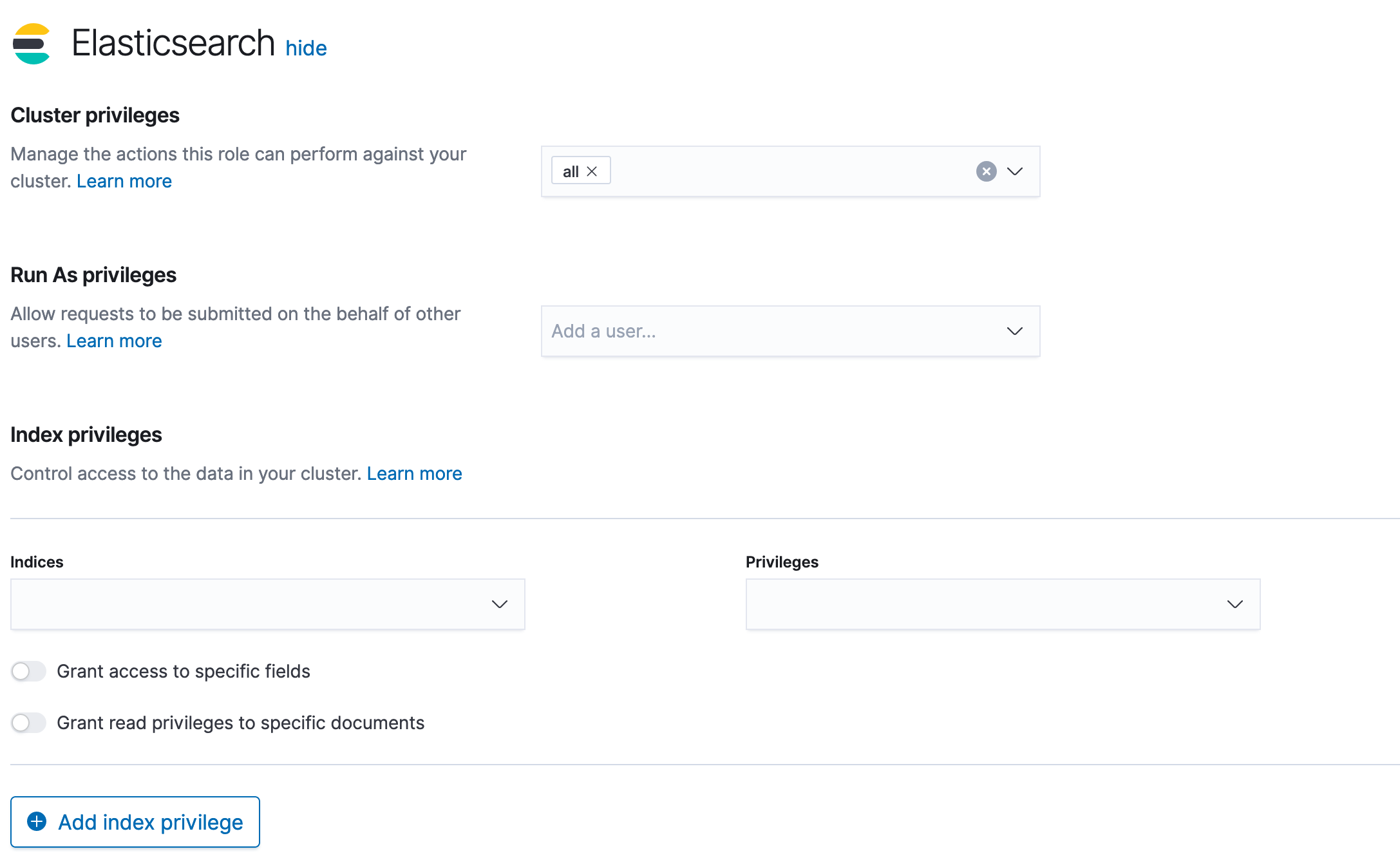
Let’s use the role_mapping API to define a mapping
POST _security/role_mapping/ldapuser
{
  "enabled" : true,
    "roles" : [
      "user"
    ],
    "rules" : {
      "any": [
        {
          "field":
            {
              "dn": "*,ou=People,dc=samarthya,dc=com"
            }

        },
        {
          "field" : {
            "groups" : "cn=readers,ou=Group,dc=samarthya,dc=com"
          }
        }
      ]
    },
    "metadata" : {
      "host" : "ldaps://ldap.myserver.com:636"
    }
}
I have defined a mapping to add the role - user for any USER in ldap.
If call is successful it should return
{
  "role_mapping" : {
    "created" : true
  }
}
Now let’s use the _authenticate api for a non existent user - user4 which we will soon add to the ldap.
curl https://node1.elasticsearch.node:9200/_security/_authenticate?pretty -u user4:admin

{
  "error" : {
    "root_cause" : [
      {
        "type" : "security_exception",
        "reason" : "unable to authenticate user [user4] for REST request [/_security/_authenticate?pretty]",
        "header" : {
          "WWW-Authenticate" : [
            "Bearer realm=\"security\"",
            "ApiKey",
            "Basic realm=\"security\" charset=\"UTF-8\""
          ]
        }
      }
    ],
    "type" : "security_exception",
    "reason" : "unable to authenticate user [user4] for REST request [/_security/_authenticate?pretty]",
    "header" : {
      "WWW-Authenticate" : [
        "Bearer realm=\"security\"",
        "ApiKey",
        "Basic realm=\"security\" charset=\"UTF-8\""
      ]
    }
  },
  "status" : 401
}
As expected the user is denied access.
Let’s add the user to ldap but let’s not add as a member of any group.
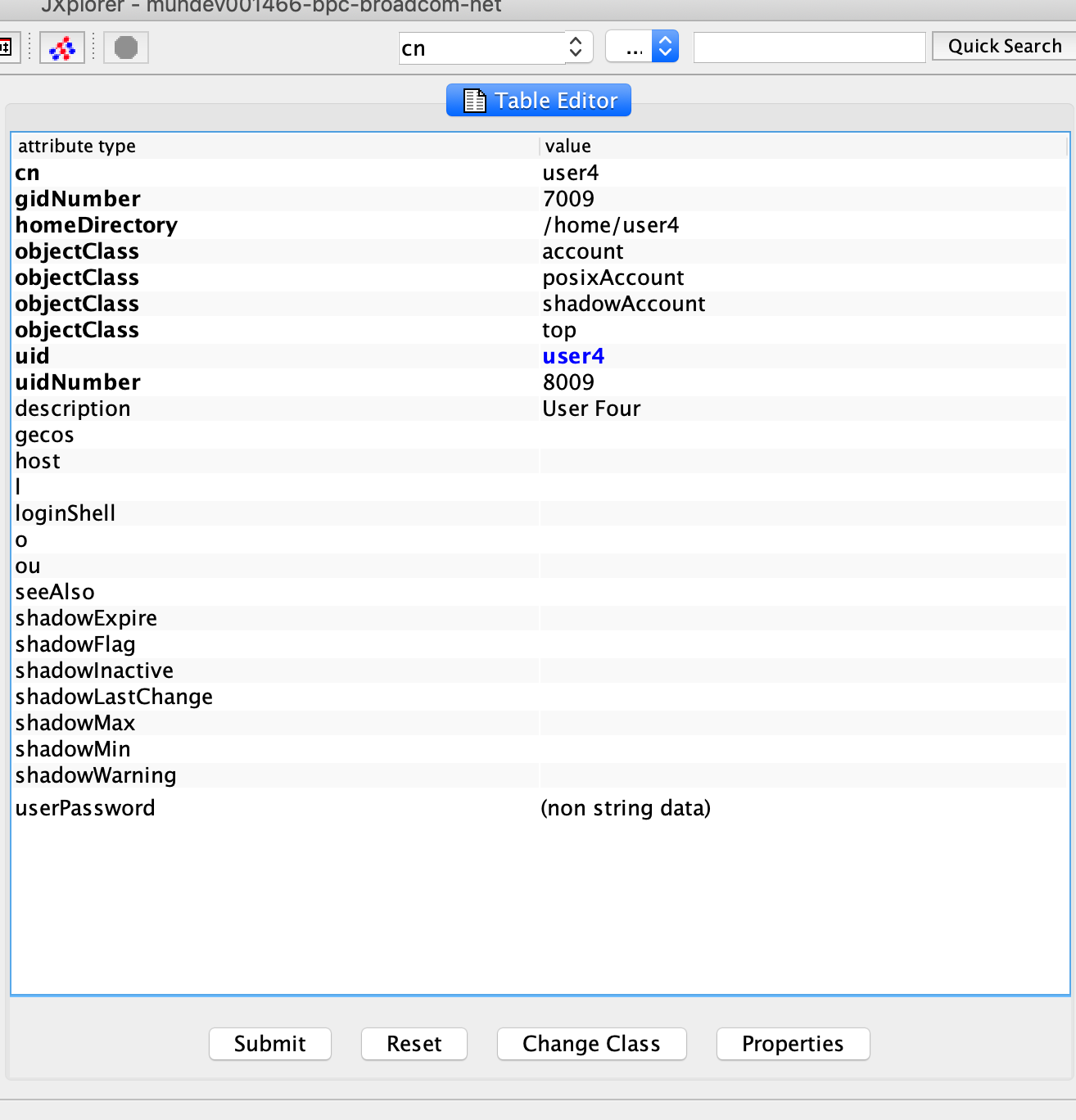
I have added user4 with password admin. Let us try the access again.
curl https://node1.elasticsearch.node:9200/_security/_authenticate?pretty -u user4:admin
{
  "username" : "user4",
  "roles" : [
    "user"
  ],
  "full_name" : null,
  "email" : null,
  "metadata" : {
    "ldap_dn" : "uid=user4,ou=People,dc=samarthya,dc=com",
    "ldap_groups" : [ ]
  },
  "enabled" : true,
  "authentication_realm" : {
    "name" : "secldap",
    "type" : "ldap"
  },
  "lookup_realm" : {
    "name" : "secldap",
    "type" : "ldap"
  }
}
You can see the added user successfully authenticates, and has no ldap group membership. How about adding the membership and role mapping in roles_mapping.yml.
# Role mapping configuration file which has elasticsearch roles as keys
# that map to one or more user or group distinguished names

#roleA:   this is an elasticsearch role
#  - groupA-DN  this is a group distinguished name
#  - groupB-DN
#  - user1-DN   this is the full user distinguished name

#power_user:
#  - "cn=admins,dc=example,dc=com"
#user:
#  - "cn=users,dc=example,dc=com"
#  - "cn=admins,dc=example,dc=com"
#  - "cn=John Doe,cn=other users,dc=example,dc=com"
kibana_user:
  - "cn=readers,ou=Group,dc=samarthya,dc=com"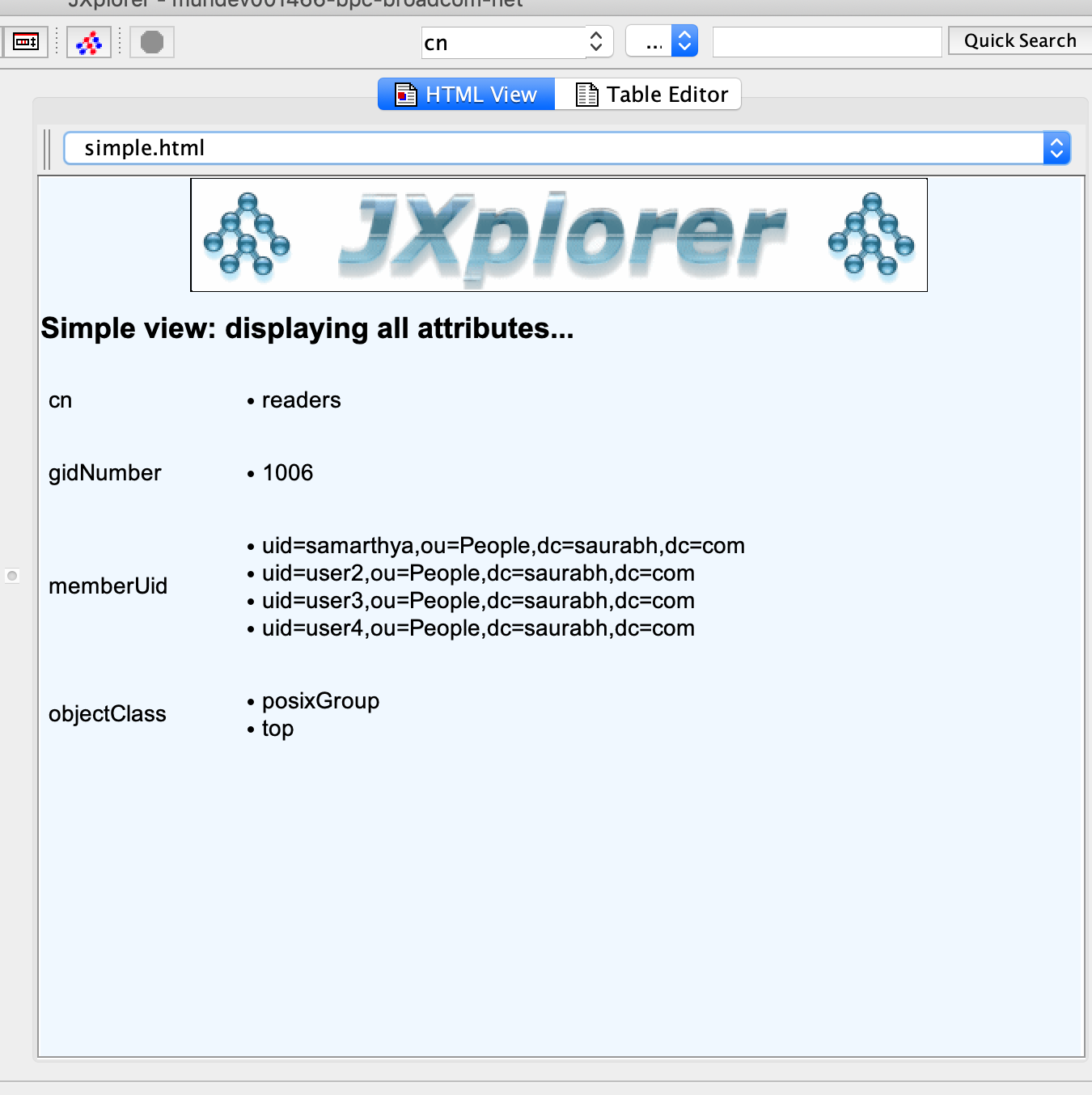
Once added let’s execute the _authenticate api again.
curl https://node1.elasticsearch.node:9200/_security/_authenticate?pretty -u user4:admin
{
  "username" : "user4",
  "roles" : [
    "kibana_user",
    "user"
  ],
  "full_name" : null,
  "email" : null,
  "metadata" : {
    "ldap_dn" : "uid=user4,ou=People,dc=samarthya,dc=com",
    "ldap_groups" : [
      "cn=readers,ou=Group,dc=samarthya,dc=com"
    ]
  },
  "enabled" : true,
  "authentication_realm" : {
    "name" : "secldap",
    "type" : "ldap"
  },
  "lookup_realm" : {
    "name" : "secldap",
    "type" : "ldap"
  }
}
In case you do not get the group membership, please clear the realm cache which is usually valid for 20 mins.
POST _security/realm/secldap/_clear_cacheThis bring us to the end of the blog. In summary, I showed how easy it is to configure the realm and once restarted you can easily add role mappings using API or role_mapping.yml. In case of questions please feel free to drop comments.