It is always fun learning and trying out some new tech. In this blog, I will try and capture my experience of running my first pod using kubectl.
If you wish to learn how to install a typical master, worker cluster of K8S I recommend going through this blog.
A Kubernetes cluster can be deployed on either physical or virtual machines.
My setup looks something like this.
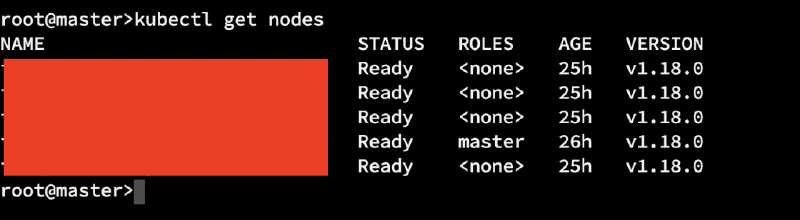
The **setup** has 1 master and few slaves as shown in image above.
Point to remember#
Kubectl uses the Kubernetes API to interact with the cluster.
Terminologies#
Master#
The Master is responsible for managing the cluster. The master coordinates all activities in your cluster, such as scheduling applications, maintaining applications’ desired state, scaling applications, and rolling out new updates. (from official documentation)
Nodes#
A node is a VM or a physical computer that serves as a worker machine in a Kubernetes cluster. Each node has a Kubelet, which is an agent for managing the node and communicating with the Kubernetes master.
When you deploy applications on Kubernetes, you tell the master to start the application containers.
- https://kubernetes.io/docs/concepts/overview/kubernetes-api/
- https://kubernetes.io/docs/tutorials/kubernetes-basics/create-cluster/cluster-intro/
Deployment#
Declarative management for pods and replicaset. One can describe a desired state in a Deployment, and the Controller changes the actual state to the desired state at a controlled rate.
Pre-requisites#
Once you have a running
Kubernetescluster, you can deploy your containerized applications on top of it.
The primary way of executing commands is the kubectl which exposes multiple options that helps the developer orchestration.
YAML#
(YAML a’int markup language) This is the chosen syntax to write the configuration files that will provide the necessary instructions to do the required.
No deep dive…#
This blog I will not cover all the concepts of Containers, Kubernetes (K8s) resources etc. It is just a quick and dirt start to using K8S to launch a pod and see it running.
POD#
Pod is essentials the smallest building block in the K8S universe, and I will define a quick pod as following.
apiVersion: v1
kind: Pod
metadata:
 name: nginxapp
labels:
 app: nginx
 rel: stable
spec:
 containers:
  - name: nginxapp
  image: nginx:alpine
  ports:
   - containerPort: 80
Indentation is quite important while you are writing YML’s and space is the preferred way of indenting.
Once this YML is defined time to call the kubectl apply

Once you call kubectl apply -f nginx.file.yml you can call get pods to see the contents.
root@master>kubectl get pods
NAME READY STATUS RESTARTS AGE
nginxapp 0/1 ContainerCreating 0 6s
If I use
kubectl create -f nginx.pod.ymland see the pod by calling
kubectl get pod nginxapp -o yamlI can see the output as under
root@master>kubectl get pod nginxapp -o yaml
apiVersion: v1
kind: Pod
metadata:
creationTimestamp: "2020-04-07T16:42:41Z"
labels:
app: nginx
rel: stable
managedFields:
apiVersion: v1
fieldsType: FieldsV1
fieldsV1:
.................
but if I do
ubectl create -f nginx.pod.yml --save-configand then see the pod I will see the difference
root@master>kubectl get pod nginxapp -o yaml
apiVersion: v1
kind: Pod
metadata:
annotations:
kubectl.kubernetes.io/last-applied-configuration: |
{"apiVersion":"v1","kind":"Pod","metadata":{"annotations":{},"labels":{"app":"nginx","rel":"stable"},"name":"nginxapp","namespace":"default"},"spec":{"containers":[{"image":"nginx:alpine","name":"nginxapp","ports":[{"containerPort":80}]}]}}
creationTimestamp: "2020-04-07T16:43:12Z"
labels:
app: nginx
rel: stable
managedFields:
apiVersion: v1
fieldsType: FieldsV1
fieldsV1:
f:metadata:
f:annotations:
.........................................
A similar output can be seen if you use apply instead of create.
If you want to look at the running pod and its contents we can do a SH to connect to the pod and see a directory listing
root@master>kubectl exec nginxapp -it sh
kubectl exec [POD] [COMMAND] is DEPRECATED and will be removed in a future version. Use kubectl kubectl exec [POD] -- [COMMAND] instead.
/ # ls
bin etc lib mnt proc run srv tmp var
dev home media opt root sbin sys usr
/ #