JUnit was developed by Kent Beck and Erich Gamma. Its first version was released in 1997.
JUnit 5 = JUnit Platform + JUnit Jupiter + JUnit Vintage
— https://junit.org/junit5/docs/current/user-guide/
It is powerful testing framework, with many modules. These modules are part of three sub-projects
- Junit Platform: Serves as a foundation for launching testing frameworks on the JVM.
- Junit Jupiter: It is the combination of the new programming model and extension model for writing tests and extensions in JUnit 5.
- Junit Vintage: Provides a
TestEnginefor running JUnit 3 and JUnit 4 based tests on the platform.
Let’s start a basic project structure
mvn archetype:generate -DgroupId=samarthya.me -DartifactId=learnunit -DarchetypeArtifactId=maven-archetype-quickstart -DinteractiveMode=true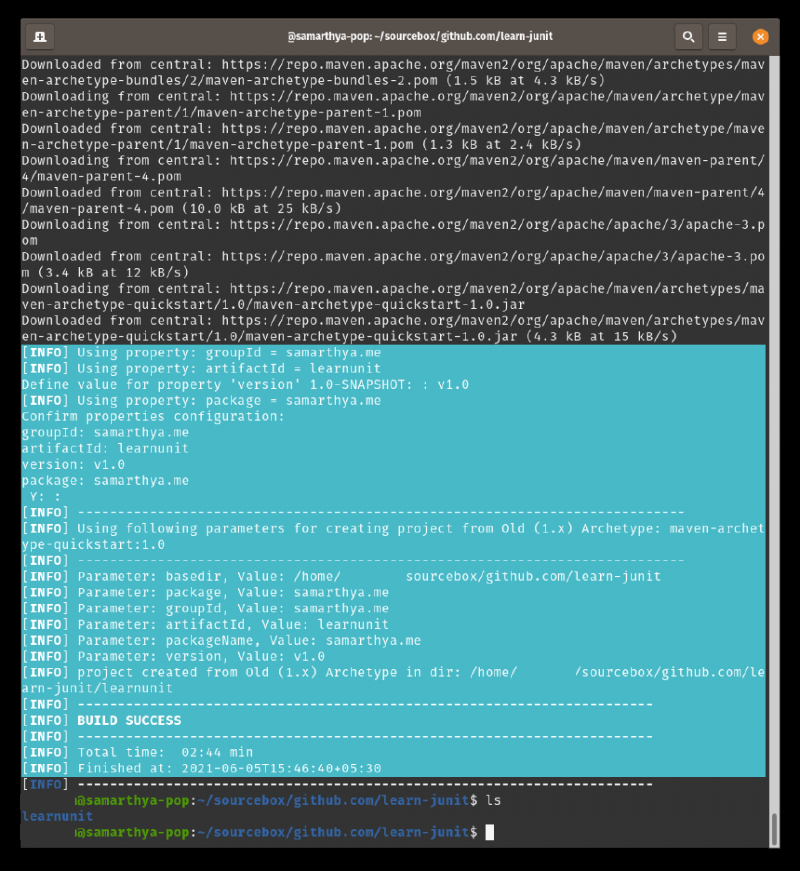
In previous
JUnit versions, there was limited/no support to allow parameters in test constructors or methods. One of the major changes in JUnit 5 Jupiter was that both test constructors and test methods are now allowed to have parameters.POM: JUNIT4 Support#
<project xmlns="http://maven.apache.org/POM/4.0.0" xmlns:xsi="http://www.w3.org/2001/XMLSchema-instance"
  xsi:schemaLocation="http://maven.apache.org/POM/4.0.0 http://maven.apache.org/maven-v4_0_0.xsd">
  <modelVersion>4.0.0</modelVersion>
  <groupId>samarthya.me</groupId>
  <artifactId>learnunit</artifactId>
  <packaging>jar</packaging>
  <version>v1.0</version>
  <name>learnunit</name>
  <url>http://maven.apache.org</url>
  <dependencies>
    <dependency>
      <groupId>junit</groupId>
      <artifactId>junit</artifactId>
      <version>3.8.1</version>
      <scope>test</scope>
    </dependency>
  </dependencies>
</project>
Adding Libraries : JUNIT5#
<project xmlns="http://maven.apache.org/POM/4.0.0" xmlns:xsi="http://www.w3.org/2001/XMLSchema-instance" xsi:schemaLocation="http://maven.apache.org/POM/4.0.0 http://maven.apache.org/maven-v4_0_0.xsd">
  <modelVersion>4.0.0</modelVersion>
  <groupId>samarthya.me</groupId>
  <artifactId>learnunit</artifactId>
  <packaging>jar</packaging>
  <version>v1.0</version>
  <name>learnunit</name>
  <url>http://maven.apache.org</url>
  <dependencies>
    <dependency>
      <groupId>org.junit.jupiter</groupId>
      <artifactId>junit-jupiter-api</artifactId>
      <version>5.7.2</version>
      <scope>test</scope>
    </dependency>
    <dependency>
      <groupId>org.junit.jupiter</groupId>
      <artifactId>junit-jupiter-engine</artifactId>
      <version>5.7.2</version>
      <scope>test</scope>
    </dependency>
    <!-- https://mvnrepository.com/artifact/org.junit.vintage/junit-vintage-engine -->
    <dependency>
      <groupId>org.junit.vintage</groupId>
      <artifactId>junit-vintage-engine</artifactId>
      <version>5.7.2</version>
      <scope>test</scope>
    </dependency>
  </dependencies>
</project>JUNIT#
JUNIT4: Test#
package samarthya.me;

import junit.framework.Test;
import junit.framework.TestCase;
import junit.framework.TestSuite;

/**
 * Unit test for simple App.
 */
public class AppTest
    extends TestCase
{
    /**
     * Create the test case
     *
     * @param testName name of the test case
     */
    public AppTest( String testName )
    {
        super( testName );
    }

    /**
     * @return the suite of tests being tested
     */
    public static Test suite()
    {
        return new TestSuite( AppTest.class );
    }

    /**
     * Rigourous Test :-)
     */
    public void testApp()
    {
        System.out.println("JUNIT4: Test");
        assertTrue( true );
    }
}
JUNIT5: Test case#
I will be using the @Test annotation that is from the package org.junit.jupiter.api.
package samarthya.me;

import static org.junit.Assert.assertTrue;

import org.junit.jupiter.api.Test;

class AppTest5 {

    @Test
    void test() {
        System.out.println("JUNIT5: Test");
        assertTrue(true);
    }
}
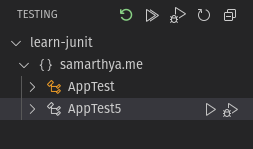
Not much is there, but you can execute the suite and see the output. I am using Visual Studio Code and launching test gives the result as below.

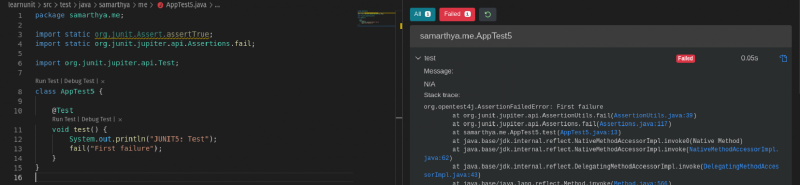
You can try some failures as below too..
SampleFunction#
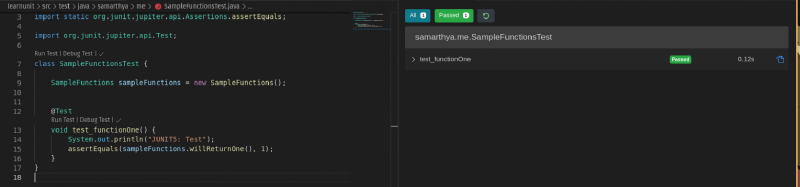
A trivial class with one sample function willReturnOne() that return one.
package samarthya.me;

public class SampleFunctions {
    public int willReturnOne() {
        return 1;
    }
}