💬 The Java virtual machine (Java VM) has built-in instrumentation that enables you to monitor and manage it using the Java Management Extensions (JMX) technology.
To enable and configure monitoring of Java VM for any java-application using the ready-to-use JMX agent, you must set certain system properties when you start the Java VM.
-Doptions1=value1The default location for the configuration file is
jre_home/lib/management/management.propertiesOr you can set using
-Dcom.sun.management.config.file=<location>Example: On my OSX#
/usr/local/Cellar/openjdk@11/11.0.14.1/libexec/openjdk.jdk/Contents/Home/conf/managementMonitoring: Kafka#
Now let’s configure JMX monitoring specifically for monitoring Kafka Broker.
Configuration Assumptions#
- Kafka SSL configuration is enabled (keystore and truststore)
Configured as a Service#
If your kafka broker is configured as service you need two basic things as environment
Environment="JMX_PORT=10167"
Environment="KAFKA_JMX_OPTS=-Dcom.sun.management.config.file=/opt/kafka/config/jmx.kafka"
You might recognize the com.sun.management.config.file. This is the same parameter that defines the options for the JMX configuration file location.
jmx.kafka#
In this file the contents identify the specific settings enabled for the JMX monitoring (explained below)
com.sun.management.jmxremote=true
com.sun.management.jmxremote.port=10167
com.sun.management.jmxremote.rmi.port=10168
java.rmi.server.hostname=broker1.test
com.sun.management.jmxremote.password.toHashes=true
java.net.preferIPv4Stack=true
com.sun.management.jmxremote.ssl.config.file=/opt/kafka/config/jmxremote.ssl
com.sun.management.jmxremote.ssl=true
com.sun.management.jmxremote.registry.ssl=true
com.sun.management.jmxremote.authenticate=true
com.sun.management.jmxremote.ssl.need.client.auth=true
com.sun.management.jmxremote.password.file=/opt/kafka/config/jmxremote.password
com.sun.management.jmxremote.access.file=/opt/kafka/config/jmxremote.access
Let’s look in some detail
com.sun.management.jmxremote
In the current Java SE platform, it is no longer necessary to set this system property.
com.sun.management.jmxremote.port
- To enable monitoring and management from remote systems define the
jmremote.port - Remote monitoring and management requires security to ensure that unauthorized persons cannot control or monitor your application. Password authentication over the Secure Sockets Layer (SSL) and Transport Layer Security (TLS) is enabled by default.
com.sun.management.jmxremote.rmi.port
- Port number to enable JMX RMI connection.
- In addition to publishing an RMI connector for local access, setting this property publishes an additional RMI connector in a private read-only registry at the specified port using the name,
jmxrmi.
java.rmi.server.hostname
- For remote stubs to be associated with a specific interface address, the
java.rmi.server.hostnamesystem property must be set. - Our example uses a vagrant host
broker1.test
com.sun.management.jmxremote.password.toHashes
If passwords are in clear, they will be overwritten by their hash
com.sun.management.jmxremote.ssl.config.file
Specifies the location of the SSL configuration file.
Contents#
javax.net.ssl.keyStore=/opt/kafka/ssl/kafka.broker.keystore.jks
javax.net.ssl.keyStorePassword=changeit
javax.net.ssl.trustStore=/opt/kafka/ssl/kafka.broker.truststore.jks
javax.net.ssl.trustStorePassword=changeit
com.sun.management.jmxremote.ssl
- Default value is
true - Enables secure monitoring using SSL.
com.sun.management.jmxremote.registry.ssl
- Binds the RMI connector stub to an RMI registry that is protected by SSL.
com.sun.management.jmxremote.authenticate
- Enables or disables password authentication for JMX.
com.sun.management.jmxremote.ssl.need.client.auth
- Performs client authentication if this property is
trueand the propertycom.sun.management.jmxremote.sslis alsotrue.
com.sun.management.jmxremote.password.file
- Specifies the location for the password file.
- If
com.sun.management.jmxremote.authenticateisfalse, then this property, and the password and access files are ignored. Otherwise, the password file must exist and be in the valid format. - If the password file is empty or nonexistent, then no access is allowed.
com.sun.management.jmxremote.access.file
- Specifies the location for the access file. If
com.sun.management.jmxremote.authenticateisfalse, then this property, and the password and access files, are ignored. Otherwise, the access file must exist and be in the valid format. - If the access file is empty or nonexistent, then no access is allowed.
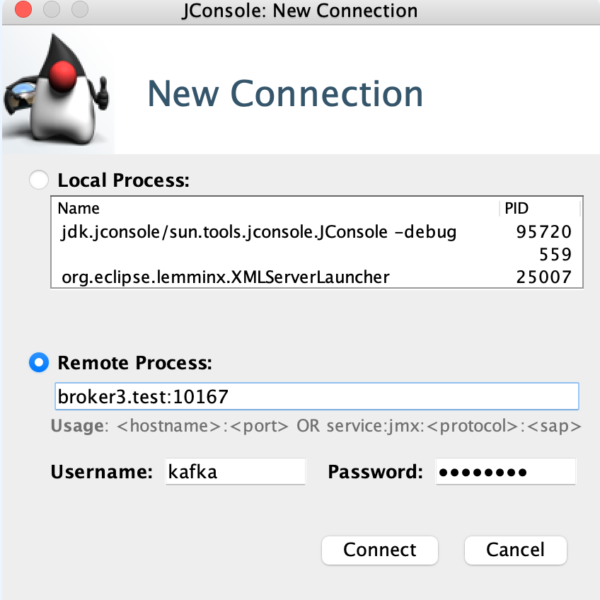
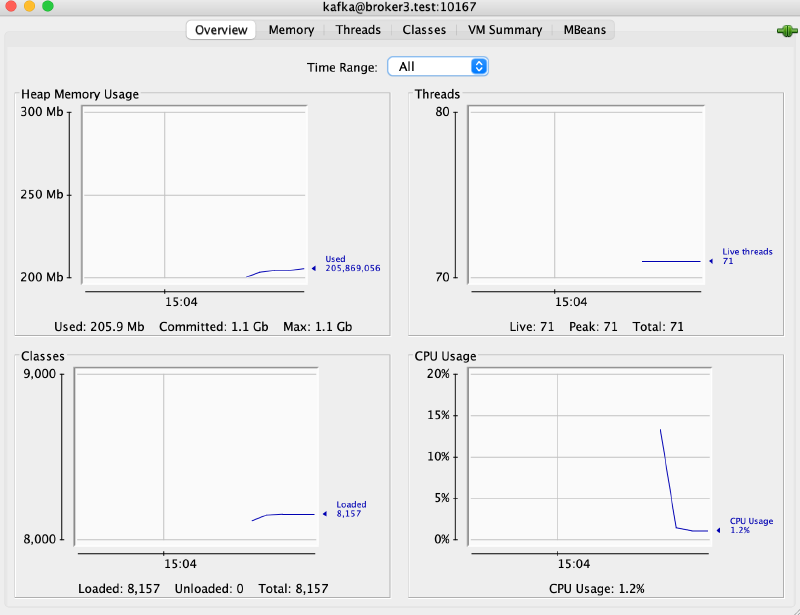
Once all the configuration is supplied and the service is running you can run JConsole and try and connect to the JMX port.
jconsole -debug -J-Djavax.net.ssl.trustStore=kafka.broker.truststore.jks -J-Djavax.net.ssl.trustStorePassword=changeit -J-Djavax.net.ssl.keyStore=kafka.broker.keystore.jks -J-Djavax.net.ssl.keyStorePassword=changeit