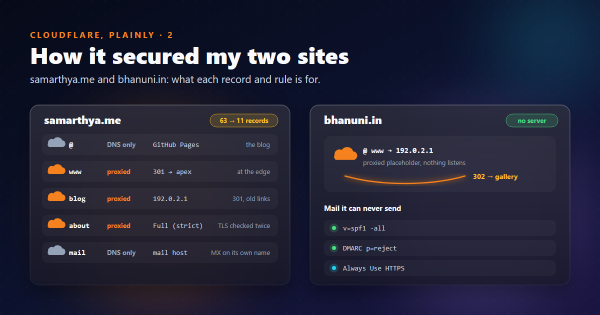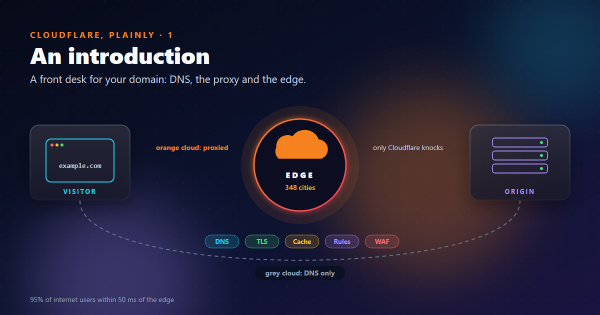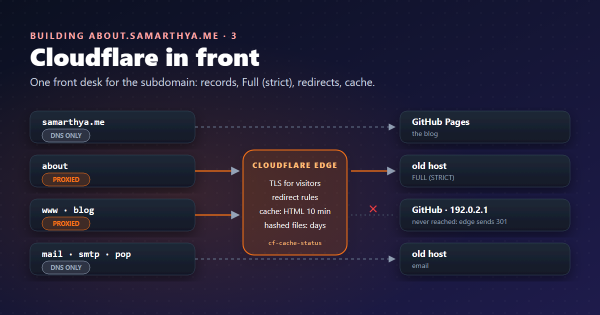
Part 1 explained the front desk, and part 2 showed what it did for my domains, including what I haven’t done yet. This part is the general version, for your own domain.
Words used in this post#
| Term | Meaning here |
|---|---|
| WAF | Web application firewall: rules that look at each web request and block, challenge or allow it |
| Managed ruleset | WAF rules written and kept up to date by Cloudflare |
| Rate limiting | Blocking a client that sends too many requests in a short time |
| DNSSEC | Signatures on DNS answers, so nobody can forge them on the way |
| HSTS | A header telling browsers “only ever use HTTPS for this site” |
| CAA record | A DNS record listing which certificate authorities may issue certificates for the domain |
| API token | A key for scripts, limited to the permissions you give it |
What the free plan includes#
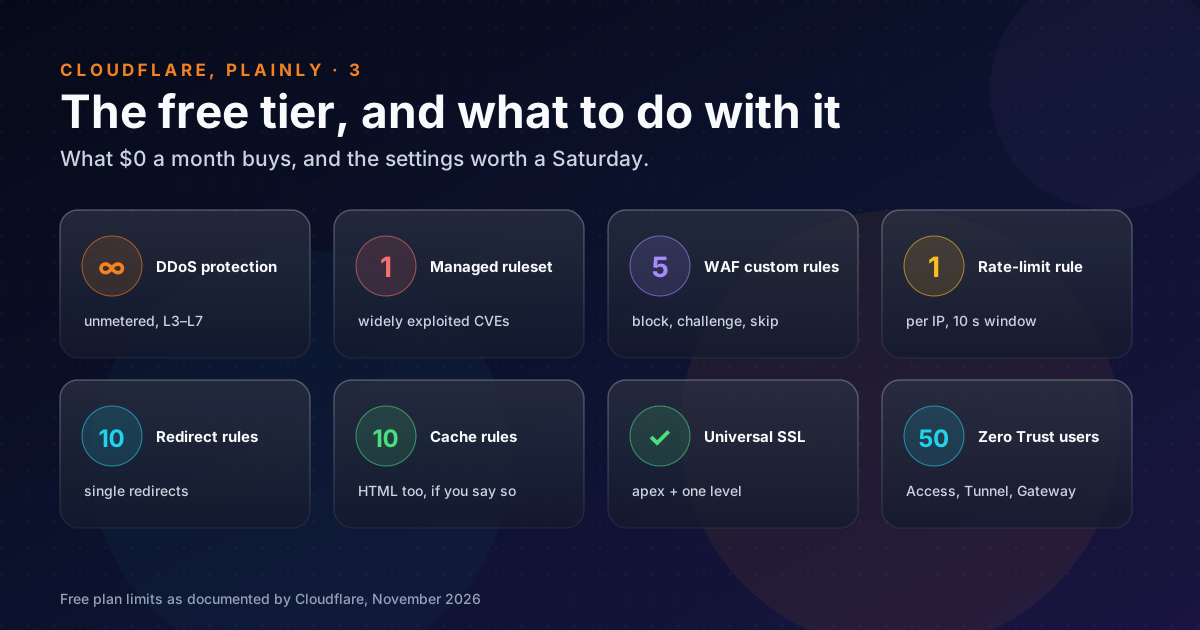
All of these are from Cloudflare’s own documentation, as of November 2026:
| Feature | Free plan | Source |
|---|---|---|
| DDoS protection | Unmetered, layers 3 to 7 | DDoS protection |
| Edge certificate | Universal SSL: apex and first-level subdomains | Universal SSL |
| WAF managed rules | The Cloudflare Free Managed Ruleset only, for “high-impact and widely exploited vulnerabilities” | Managed rules |
| WAF custom rules | 5; every action except Log; no regex | Custom rules |
| Rate limiting | 1 rule, counted per IP, 10-second period, 10-second block | Rate limiting rules |
| Redirect rules | 10 | Redirects |
| Cache rules | 10 | Cache Rules |
| DNSSEC | Yes; one click plus a record at your registrar | DNSSEC |
| Zero Trust (Access, Tunnel, Gateway) | Up to 50 users, logs kept up to 24 hours | Plans |
Two things stand out. The limits are small but honest: five custom rules is plenty for a blog, and one rate-limit rule is enough to protect a login page. And there’s no trial clock: the free plan is simply the free plan.
The checklist, in order#
The order matters. The first items protect the account that controls everything else. The last ones can break your site if you rush them.
1. Lock the account#
- Two-factor authentication under My Profile → Authentication. Cloudflare recommends at least two different factors: say, a security key and an authenticator app. Store the backup codes offline.
- The same at your registrar. Whoever controls the registrar can change the nameservers and take the whole domain, mail included.
- API tokens, never the global key. A script that edits DNS gets a
token with
Zone DNS Editfor one zone, an expiry date, and an IP filter if you can. “The token secret is only shown once”: put it in your password manager, not in a repository.
2. Clean up the zone#
Go through every DNS record and delete what you can’t explain. Old subdomains pointing at old servers are doors you forgot you had. In my case, 63 records became 11.
3. Get TLS right#
- SSL/TLS → Overview: Full (strict) for every proxied name with an origin. Flexible sends the second half of the trip as plain HTTP, and Full accepts any certificate. Cloudflare’s own advice is Full or Full (strict).
- Always Use HTTPS (SSL/TLS → Edge Certificates), so every
http://visit is redirected. - Minimum TLS version. The setting is available on every plan; TLS 1.2 is a sensible floor today, and it switches off the old 1.0 and 1.1.
4. Sign the DNS#
DNS → Settings → Enable DNSSEC, then copy the DS record it shows into your registrar’s panel. If your registrar asks for the algorithm by name, Cloudflare’s 13 is ECDSA Curve P-256 with SHA-256.
# Is DNSSEC live? A DS record at the parent, and AD=true from a validating resolver.
curl -s "https://dns.google/resolve?name=example.com&type=DS"
Do it in a quiet week. A DS record that doesn’t match the zone makes the domain fail to resolve for everyone who validates.
5. Close the email doors#
- A domain that sends no mail gets
v=spf1 -alland_dmarcwithp=reject, as GOV.UK recommends. Spammers love a domain that never complains. - A domain that does send mail starts DMARC at
p=nonewith reports, then moves toquarantineandrejectonce the reports show only your real senders. (I’m still atp=noneon samarthya.me.)
6. A few WAF rules, written from what you see#
Start with the free managed ruleset and look at Security → Events for a week or two before writing your own. A static site gets a steady stream of WordPress scanners, and that makes an easy first rule:
Rule name:  No WordPress here
When:       (http.request.uri.path contains "/wp-login.php")
            or (http.request.uri.path contains "/xmlrpc.php")
            or (starts_with(http.request.uri.path, "/wp-admin"))
Then:       Block
Use your single rate-limiting rule on whatever is expensive or sensitive, such as a login, a search or a form endpoint, not on the whole site.
Be careful with Bot Fight Mode. It’s a single switch on the free plan, and it can also challenge tools and services you want to keep; I wrote about reading its small print first.
7. Cache on purpose#
By default Cloudflare caches static files by extension, not HTML. One cache rule can make HTML cacheable for a site that only changes when you publish. Keep the HTML lifetime short (I use 10 minutes), and give only files with a hash in their name long lifetimes (details).
8. Last, and carefully: HSTS and CAA#
- HSTS tells browsers to refuse plain HTTP for up to a year. If HTTPS ever breaks, through an expired certificate, a grey-clouded record or nameservers moved away, then “your website becomes inaccessible to visitors” until the policy expires. includeSubDomains applies it to every subdomain, and preload can’t be undone quickly. Start with a short max-age on one name, and only lengthen it once you’re sure.
- CAA records list which certificate authorities may issue for your domain. When you add any, Cloudflare adds its own CAs automatically (hidden in the dashboard), so Universal SSL keeps working. Remember to include the CA your other hosts use, such as Let’s Encrypt for an origin.
What you don’t get for free#
So the picture is fair:
- Only the free managed ruleset. The full Cloudflare and OWASP rulesets need a paid plan.
- No regex in custom rules, and no logging-only action. You can’t trial a rule quietly; test it on a narrow match.
- One rate-limit rule, counted per IP only, with a fixed 10-second window.
- Zero Trust logs for a day, and only 50 users.
For a blog, a portfolio or a family site, none of that has mattered to me.
Takeaways#
- Protect the account before the site: 2FA on Cloudflare and the registrar, and scoped API tokens.
- Delete the DNS records you can’t explain. It’s the cheapest hardening there is.
- Full (strict), Always Use HTTPS and DNSSEC are low-risk wins. HSTS is a one-way door, so do it last.
- Write WAF rules from what you see in Security Events, not from fear. Five rules go a long way.
- Use the single rate-limit rule on the one endpoint that hurts most.
References#
- DDoS protection: Cloudflare docs, unmetered protection on all plans
- Universal SSL: Cloudflare docs, free edge certificates and their coverage
- Managed rules: Cloudflare docs, the free managed ruleset and plan availability
- Custom rules: Cloudflare docs, 5 rules on Free, actions and regex limits
- Rate limiting rules: Cloudflare docs, the Free plan’s 1 rule, period and characteristics
- Redirects and Cache Rules: Cloudflare docs, rule counts per plan
- DNSSEC: Cloudflare docs, enabling DNSSEC and the DS record
- Encryption modes: Cloudflare docs, Flexible versus Full (strict)
- Minimum TLS version: Cloudflare docs, the setting and its availability
- HTTP Strict Transport Security: Cloudflare docs, max-age, includeSubDomains, preload and the lock-out warning
- CAA records: Cloudflare docs, automatic CAA records for Universal SSL
- Two-factor authentication: Cloudflare docs, methods and the two-factor recommendation
- Create an API token: Cloudflare docs, scoped permissions, expiry and IP filtering
- SASE and Zero Trust plans: Cloudflare, the free plan’s 50 users and 24-hour logs
- Protect domains that don’t send email: GOV.UK, SPF and DMARC for non-sending domains
Next: part 4, an introduction to zero trust, and what the free Zero Trust plan can do for a household.