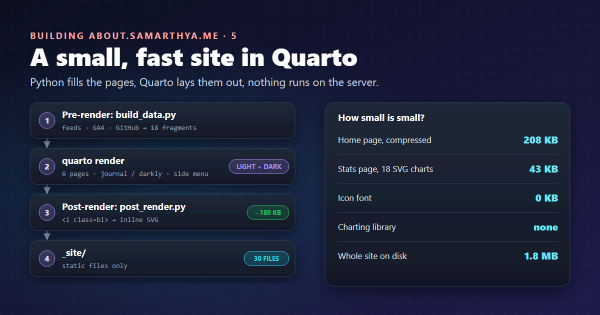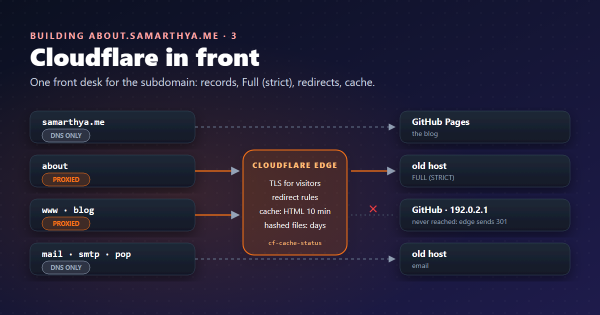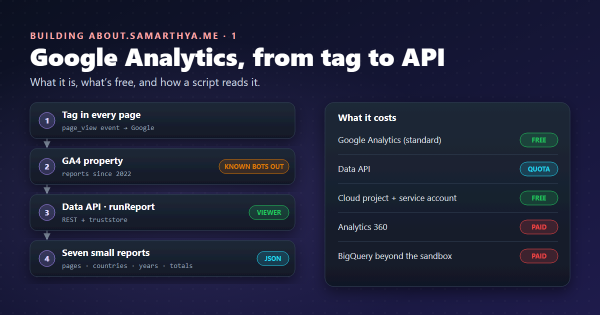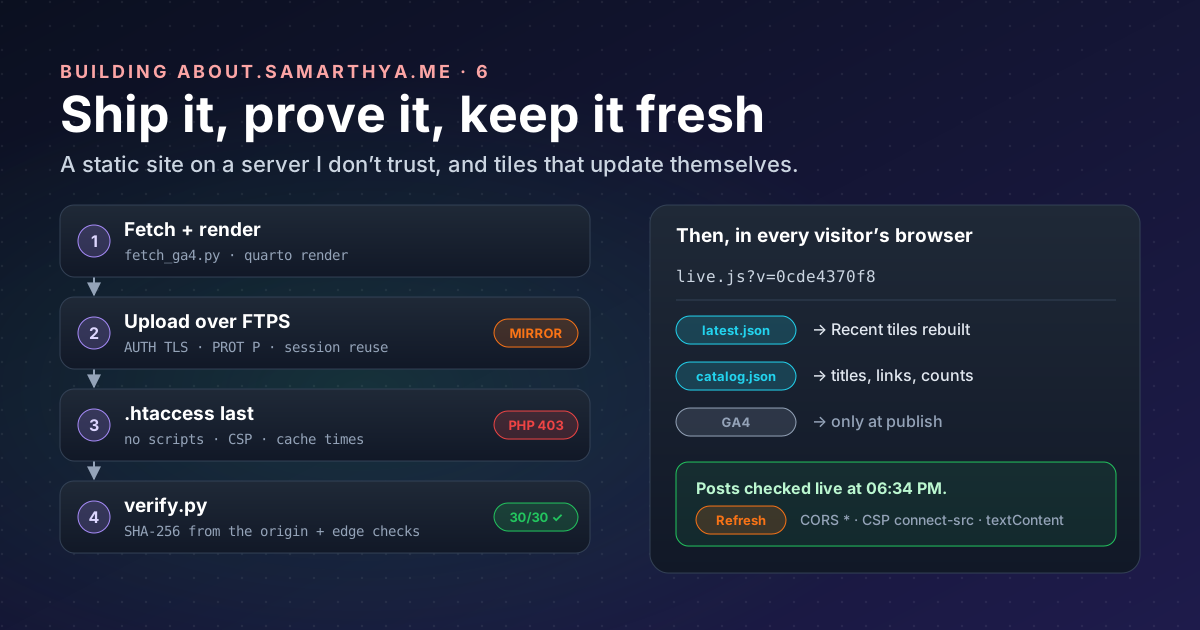
The site from part 5 is thirty files on my PC. The server they go to is the shared host whose WordPress site was compromised in October. It still runs my email and it can serve files; it’s the only server I have for this. So the rule for everything below is: treat the server as untrusted storage. It holds files; it never runs code; and I check what it serves.
Words used in this post#
| Term | Meaning here |
|---|---|
| FTP / FTPS | The old file-transfer protocol; FTPS is FTP wrapped in TLS, so passwords and files are encrypted |
| TLS session | The agreed keys of an encrypted connection; reusing one skips a new handshake |
| Mirror | Make the remote folder an exact copy: upload what’s new, delete what’s extra |
| Hash (SHA-256) | A fingerprint of a file’s bytes; change one byte and the hash changes completely |
.htaccess | A settings file the Apache web server reads per folder |
| CSP | Content Security Policy: a header telling the browser what a page may load and run |
| CORS | The rule that decides whether a page on one site may read data from another |
The threat model, in four lines#
- Anything could be planted in the site’s folder if the account is abused again: a PHP back door, a changed page.
- So nothing may run. The site is static; the server is told to refuse scripts even if one appears.
- So every publish overwrites everything and deletes the rest.
- And then I prove it: fetch every file back and compare fingerprints.
Getting the files there: FTPS, the careful way#
The host offers FTP, not SSH. FTP on its own sends the password in plain text, so it has to be explicit
FTPS (RFC 4217): connect, upgrade to TLS with AUTH TLS, check
the server’s certificate, then log in, then encrypt the file transfers too. Python’s
ftplib.FTP_TLS does it, with one catch: “the user must
explicitly secure the data connection by calling the prot_p() method”.
The account is a separate FTP user that can only see the site’s folder. Its password lives in Windows
Credential Manager through the keyring library, never in a file:
ftp = FTPS(context=ssl.create_default_context(), timeout=30)   # certificate and host name checked
ftp.connect(host, 21)
ftp.auth()          # AUTH TLS before any credentials
ftp.login(user, keyring.get_password("my-site-ftp", user))     # from Windows Credential Manager
ftp.prot_p()        # encrypt the data channel too
TLS session reuse#
FTP uses a second connection for each file transferred. Many FTPS servers insist that this second connection
reuses the TLS session of the first, and the RFC allows exactly that: “It is reasonable for the server to
insist that the data connection uses a TLS cached session”, with a 522 reply if not. Python’s ftplib
doesn’t reuse sessions; the request to add it, bpo-19500, is still open.
So the deploy script has a five-line subclass from the start, handing the control connection’s session to
every data connection:
class FTPS(ftplib.FTP_TLS):
    """FTP_TLS that reuses the control channel's TLS session on data connections."""
    def ntransfercmd(self, cmd, rest=None):
        conn, size = ftplib.FTP.ntransfercmd(self, cmd, rest)
        if self._prot_p:
            conn = self.context.wrap_socket(conn, server_hostname=self.host, session=self.sock.session)
        return conn, size
Mirror, don’t merge#
deploy.py makes the remote folder match _site/ exactly:
- List every remote file and folder (FTP’s
MLSDcommand, recursively). - Upload every file, every time. The whole site is under 2 MB, so there’s no point being clever about “only what changed”: a tampered file gets overwritten whether I know about it or not.
- Delete everything that isn’t in
_site/. Two exceptions:.htaccess(mine, next) and.well-known/(where the certificate renewal from part 3 puts its tokens). - Upload
.htaccesslast, once the files it protects are in place. - Write a manifest: the SHA-256 of every file I uploaded.
A --dry-run lists all of that without touching anything; it’s how I check a first publish.
An .htaccess that runs nothing#
.htaccess files “provide a way to make configuration
changes on a per-directory basis”. Mine is mostly no:
Options -Indexes -ExecCGI
<FilesMatch "\.(php\d?|phtml|phar|pl|py|cgi|sh|asp|aspx|jsp)$">
    Require all denied
</FilesMatch>
<FilesMatch "^(\.|manifest\.json$)">
    Require all denied
</FilesMatch>- No folder listings, no CGI, and any script file is refused, not run, even if one gets planted.
- Dotfiles (including this file) and the manifest aren’t served.
- Security headers:
nosniff, no framing, a strict referrer policy, and a Content Security Policy that allows only the site’s own files, plus images and data from the blog (connect-src“restricts the URLs which can be loaded using script interfaces”). - Cache lifetimes with
mod_expires, which sets “themax-agedirective of theCache-ControlHTTP header”: 10 minutes for HTML, 7 days for CSS and scripts, 30 days for images. Cloudflare’s cache follows the same numbers (part 3).
Proving what the server serves#
Uploading isn’t the same as serving. verify.py checks the result from the outside:
- From the origin, bypassing Cloudflare, fetch every file in the manifest and compare its SHA-256 with what I uploaded. Bypassing matters: Cloudflare may rewrite HTML in transit (its email obfuscation, on by default, “replaces visible email addresses in your HTML”), which would make a page look tampered. The script connects to the server’s address directly but still checks the TLS certificate for the site’s name.
- Through Cloudflare, check the behaviour visitors get: pages answer 200, a missing page 404, and
/.htaccess,/manifest.jsonand a made-up/test.phpare refused.
The run after the last publish:
[verify] origin: 30/30 files identical
[verify] edge /                200 ok
[verify] edge /stats.html      200 ok
[verify] edge /contact.html    200 ok
[verify] edge /no-such-page/   404 ok
[verify] edge /.htaccess       403 ok
[verify] edge /manifest.json   403 ok
[verify] edge /test.php        403 ok
Any difference exits with an error. If it ever says VERIFY FAILED, the right response is to publish again and, if it fails twice, go and look: something on the server is changing files.
One command#
pwsh -File .\publish.ps1 # add -DryRun to see what would changeIt runs the analytics fetch from part 1, the build,
the upload and the check, and stops at the first failure. It needs PowerShell 7 (pwsh): on my PC, the older
Windows PowerShell only runs signed scripts, and I’d rather not lower that.
Fresh or stale?#
A static site is a photograph: it shows the moment I published. When I write a new blog post, the hub’s “Recent” tiles don’t know until I publish the hub again. Scheduling a publish every few hours would work, but it means my PC, my keys and an FTP login on a timer, for what is really just a list of posts.
The blog already publishes that list. So the home page refreshes itself, in the visitor’s browser:
| Part of the page | How fresh |
|---|---|
| Recent tiles | Every page load: rebuilt from the blog’s latest.json |
| Popular tiles: titles, images, links | Every page load, from catalog.json (following a post if it moved) |
| Popular tiles: the order | Each publish: it comes from analytics, which needs a private key |
| Posts, years, words, topics | Every page load, recomputed from catalog.json |
| Stats page, map, Code page | Each publish |
A small script, live.js, does it. Three things make it safe and reliable:
- Allowed by both sides. The blog’s host sends
Access-Control-Allow-Origin: *, which tells browsers to “allow any origin to access the resource”, and the hub’s CSP allowsconnect-srcto the blog and nothing else. - Nothing from the feed is trusted as code. Tiles are built with DOM methods and
textContent, neverinnerHTML, and only links and images on the blog’s own address are accepted. A broken or hostile feed can show wrong text, but can’t inject anything. - Honest about itself. Under the tiles it says “Posts checked live at 06:34 PM” or, if the blog can’t be reached, keeps the built tiles and says so. A Refresh button repeats the check, and the line “Reading numbers as of …” says how old the analytics are.
One caching detail: scripts are cached for 7 days, so a changed live.js could reach returning visitors a
week late. The page loads it as live.js?v=<hash of the file>; a new version is a new address, fetched at
once.
I tested it the way it runs in production: the built site served locally with the same CSP header, opened in a headless browser, with one tile’s title deliberately broken. After load, the broken title was gone and the status line said the posts were checked live.
What went wrong along the way#
- The favicons were missing from the first publish: Quarto only copies files it’s told about, and the icon set wasn’t listed as a resource. The verify step passed, because it checks what was uploaded, not what should have been. A checklist item now.
SecurityExceptionon the firstpublish.ps1run, from Windows PowerShell’s signing policy: usepwsh.
Takeaways#
- Treat a host you don’t trust as storage: static files only, scripts refused, everything overwritten, extras deleted.
- Explicit FTPS with a checked certificate and an encrypted data channel; if the server wants TLS session reuse, give it the five-line subclass.
- Keep a manifest of hashes and fetch every file back from the origin. Uploading isn’t serving.
- Put the freshness where the data already is: a static page can refresh its lists from the source’s own feeds,
safely, with CORS, a tight CSP and
textContent. - Tell readers how fresh each number is.
References#
- RFC 4217: Securing FTP with TLS: IETF, explicit FTPS and cached sessions
- ftplib: Python documentation,
FTP_TLSandprot_p() - bpo-19500: ftplib: add client-side SSL session resumption: CPython issue tracker
- keyring: Python library for the system credential store
- Email address obfuscation: Cloudflare, why the hash check bypasses the edge
- .htaccess files and mod_expires: Apache HTTP Server documentation
- Content Security Policy and connect-src: MDN
- Cross-Origin Resource Sharing: MDN
That’s the hub, end to end. Still to come: a like button without cookies, and how the numbers look after a few months.